
Mervia AcademyLearn
ลานอัฒจันทร์The Amphitheaterจุดเริ่มต้นคอร์สสอนสดWhere live courses begin
ลานอัฒจันทร์ · รุ่น 03The Amphitheater · Batch 03

Claude Code for Work: Zero to HeroClaude Code for Work: Zero to Hero

คอร์สสอนสดเต็มวันที่จัดแล้วเมื่อ 24 พฤษภาคม 2026 สำหรับมืออาชีพที่อยากใช้ Claude Code ทำงานกับไฟล์จริง เครื่องมือจริง และ workflow จริง ตั้งแต่พื้นฐานไปจนถึง Skills, Subagents, MCP, Browser Tools และ PluginsA completed full-day instructor-led course taught on May 24, 2026 for professionals using Claude Code with real files, real tools, and real workflows, from foundations through Skills, Subagents, MCP, Browser Tools, and Plugins.

ภาพรวมคลาสCourse overview
เวลาTime
09:00 - 16:00
วันที่Date
24 พฤษภาคม 2026May 24, 2026
สถานะStatus
จบแล้วdone24 พฤษภาคม 2026May 24, 2026ผู้เรียน 150 คน150 students
รูปแบบFormat
สอนสดเต็มวัน · มีเอกสารทบทวนFull-day live course · review materials available
รุ่นCohort
รุ่น 03 · 24 พฤษภาคม 2026 · จบแล้วBatch 03 · May 24, 2026 · Completed
ภาษาLanguage
ไทยเป็นหลัก พร้อมศัพท์อังกฤษThai-first, with English terms

โครงสร้างคลาส 09:00 - 16:00Course outline 09:00 - 16:00

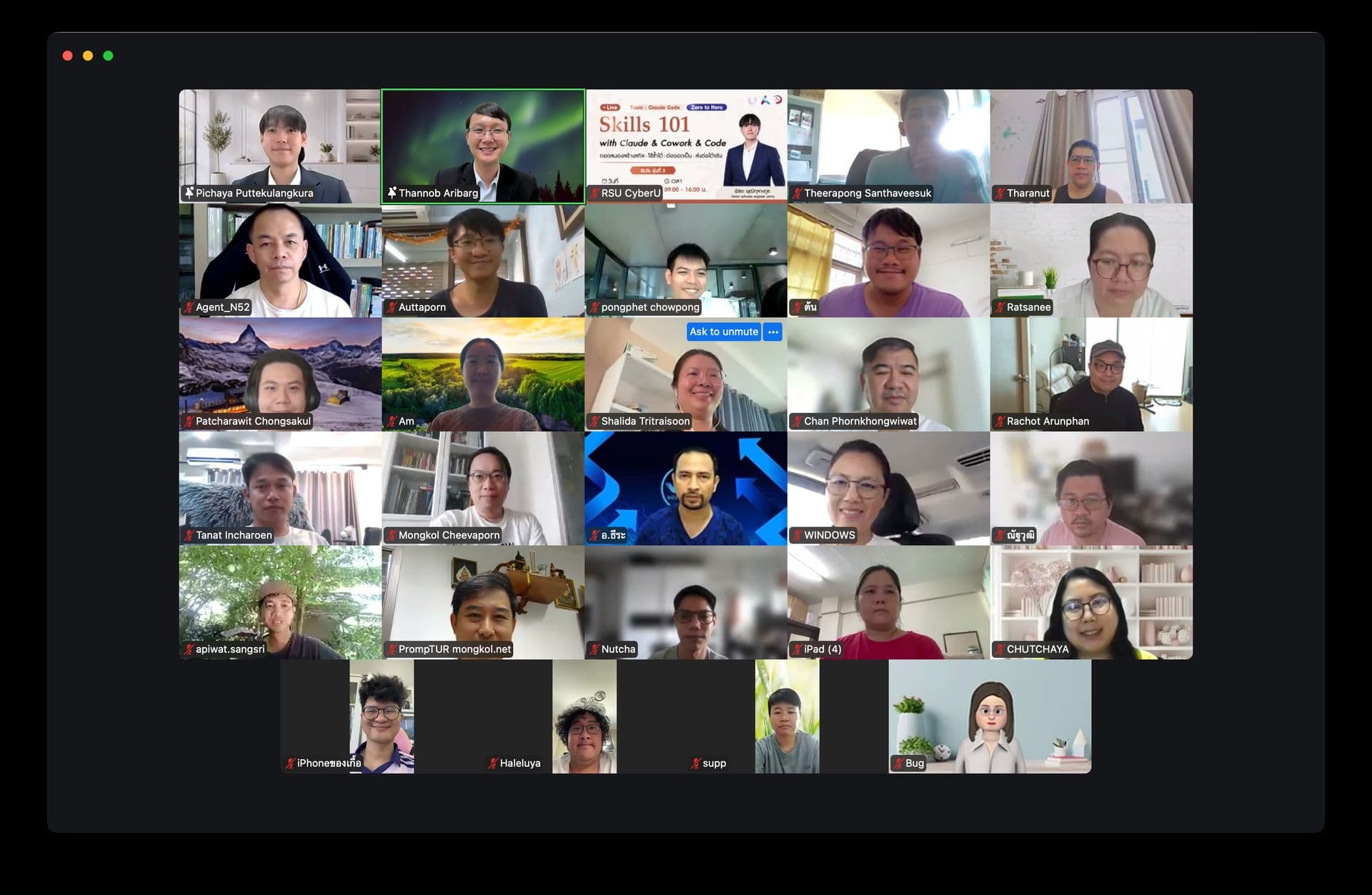
Claude Code for Work: Zero to Hero Zoom classroom screenshot
จบคลาสแล้วClass completed

24 พฤษภาคม 2026May 24, 2026

Claude Code for Work: Zero to Hero จัดสอนสด 09:00 - 16:00 พร้อม workshop จากไฟล์จริงและ workflow จริงClaude Code for Work: Zero to Hero ran live from 09:00 - 16:00 with hands-on workshops using real files and workflows.

เปิด slidesOpen slides

01

พร้อมready

09:00 - 09:15

Claude Code คืออะไรWhat Claude Code is

ตั้งภาพใหญ่ให้ชัดว่า Claude Code ต่างจาก Claude.ai และ Claude Cowork อย่างไร และทำไมมันคือ AI harness ที่ทำงานกับไฟล์ เครื่องมือ และ workflow จริงได้Frame how Claude Code differs from Claude.ai and Claude Cowork, and why it works as an AI harness for real files, tools, and workflows.

  • Claude surfaces และบทบาทของแต่ละตัวClaude surfaces and what each one is for
  • Claude = สมอง, Claude Code = harnessClaude as the brain, Claude Code as the harness
  • Workspace, tools, permissions, memory, extensionsWorkspace, tools, permissions, memory, extensions
  • เดโม read-only จากไฟล์จริงRead-only demo with real local files

02

พร้อมready

09:15 - 09:30

Terminal พื้นฐานที่จำเป็นTerminal basics that matter

สอนเฉพาะคำสั่งที่ต้องใช้จริง เพื่อให้ผู้เรียนยืนถูกโฟลเดอร์และเข้าใจ path โดยไม่ต้องเป็นโปรแกรมเมอร์Teach only the commands learners need to stand in the right folder and understand paths without becoming programmers.

  • pwdpwd
  • ls / dirls / dir
  • cdcd
  • mkdirmkdir

03

พร้อมready

09:30 - 10:00

First Workshop: ให้ Claude ดูโฟลเดอร์แรกFirst Workshop: let Claude inspect a folder

สร้างความมั่นใจเร็วด้วยงานแรกที่สำเร็จได้ภายใน 30 นาที: เปิด Claude Code ในโฟลเดอร์ทดลอง อ่านไฟล์ และสร้าง output ง่าย ๆBuild confidence quickly with a first win: open Claude Code in a practice folder, inspect files, and create a small output.

  • สร้างโฟลเดอร์ทดลองCreate a practice folder
  • เปิด Claude Code ในโฟลเดอร์นั้นOpen Claude Code in that folder
  • ให้ Claude อธิบายว่ามีอะไรอยู่ข้างในAsk Claude to explain what is inside
  • สร้างไฟล์สรุป 1 ไฟล์Create one summary file

04

พร้อมready

10:00 - 10:30

Core Workflow: Plan, Act, ReviewCore Workflow: Plan, Act, Review

สอนวิธีใช้ Claude Code อย่างปลอดภัย ให้คิดก่อนทำ คุม permission และตรวจงานหลังลงมือTeach the safe operating loop: make Claude think before acting, control permissions, and review the result.

  • Agentic loop: gather context, plan, act, verifyAgentic loop: gather context, plan, act, verify
  • Plan ModePlan Mode
  • Permission ModesPermission Modes
  • Checkpoints และ review mindsetCheckpoints and review mindset

05

พร้อมready

10:40 - 11:40

Context & Memory: CLAUDE.mdContext & Memory: CLAUDE.md

ย้ายจาก prompt เดี่ยวไปสู่บริบทประจำโปรเจกต์ ให้ Claude เข้าใจกติกา รูปแบบงาน และข้อห้ามของโฟลเดอร์นั้นMove from one-off prompts to project context so Claude understands rules, work style, and boundaries for a folder.

  • CLAUDE.mdCLAUDE.md
  • Project instructions vs reference filesProject instructions vs reference files
  • เขียน context สำหรับงานของตัวเองWrite context for your own work
  • เทียบผลลัพธ์ก่อนและหลังมี contextCompare before and after context

06

พร้อมready

11:40 - 12:00

Hooks: Automation & GuardrailsHooks: automation and guardrails

เข้าใจ Hooks แบบสั้นและปลอดภัยในฐานะ automation ที่ทำงานตามเหตุการณ์ เช่น แจ้งเตือน ตรวจ log หรือ block action ที่เสี่ยงUnderstand Hooks as safe event-based automations for notifications, checks, logs, and risky-action guardrails.

  • Event-based automationEvent-based automation
  • Stop hook demo หรือ fallback runbookStop hook demo or fallback runbook
  • เตือน ตรวจ log หรือ blockWarn, check, log, or block
  • วิธี verify และถอดออกHow to verify and remove safely

07

พร้อมready

13:00 - 13:50

Skills: เปลี่ยนงานซ้ำให้เป็น WorkflowSkills: turn repeat work into workflows

จากการสั่งงานทีละครั้งไปสู่ workflow ที่เรียกใช้ซ้ำได้ โดยเข้าใจ anatomy ของ SKILL.md และสร้าง skill แรกจากงานจริงMove from one-off instructions to reusable workflows by learning SKILL.md anatomy and building a first skill from real work.

  • Skill คืออะไรWhat a Skill is
  • SKILL.mdSKILL.md
  • Trigger, steps, output, rulesTrigger, steps, output, rules
  • Workshop: สร้าง skill แรกWorkshop: build a first skill

08

พร้อมready

13:50 - 14:20

Subagents: ผู้ช่วยเฉพาะทางSubagents: specialized assistants

แยกผู้ช่วยเฉพาะทางสำหรับ research, review, writing, planning หรือ cleanup และรู้ว่าต่างจาก skill อย่างไรDesign specialized assistants for research, review, writing, planning, or cleanup, and see how they differ from skills.

  • บทบาทและขอบเขตของ subagentSubagent role and boundary
  • Subagent vs SkillSubagent vs Skill
  • Research assistant, reviewer, Thai copy editorResearch assistant, reviewer, Thai copy editor
  • Workshop: ออกแบบ subagent 1 ตัวWorkshop: design one subagent

09

พร้อมready

14:20 - 15:25

MCP & Browser ToolsMCP and Browser Tools

เชื่อม Claude Code กับโลกภายนอก: เครื่องมือ ข้อมูล เว็บไซต์ web app และระบบงานที่แชท AI ปกติแตะไม่ได้Connect Claude Code to external tools, data, websites, web apps, and work systems that normal chat AI cannot touch.

  • MCP mental modelMCP mental model
  • Database, Google Workspace, Slack, GitHubDatabases, Google Workspace, Slack, GitHub
  • Browser Tools: เปิดเว็บ คลิก กรอกฟอร์ม screenshotBrowser Tools: open, click, fill, screenshot
  • Demo และ workshop พร้อม fallbackDemo and workshop with fallback

10

พร้อมready

15:25 - 16:00

Capstone: ส่งบรีฟ Thailand Digital 2026 เป็นเว็บไซต์Capstone: Ship a Thailand Digital 2026 briefing website

ปิดวันด้วยงานจริงชิ้นเดียว — สร้างเว็บบรีฟหนึ่งหน้าจากข้อมูล Thailand Digital 2026 โดยใช้ CLAUDE.md, Plan Mode, Hook, Skill และ Subagent ที่เรียนทั้งวันพร้อมกันใน pipeline เดียวClose the day with one real deliverable — a single-page Thailand Digital 2026 briefing website that wires CLAUDE.md, Plan Mode, a Hook, a Skill, and a Subagent into one pipeline.

  • Mission ร่วม: outputs/briefing.htmlShared mission: outputs/briefing.html
  • Pipeline ที่ใช้ทุกบทที่ผ่านมาPipeline that exercises every prior section
  • frontend-design Skill render HTMLfrontend-design Skill renders the HTML
  • research-evidence-reviewer ตรวจตัวเลขresearch-evidence-reviewer fact-checks numbers
  • PostToolUse hook stamp run-log อัตโนมัติPostToolUse hook auto-stamps run-log

สิ่งที่ควรทบทวนหลังเรียนPost-class review

  • เปิดคู่มือติดตั้งอีกครั้งถ้าต้องตั้งค่า Claude Code บนเครื่องใหม่หรือช่วยเพื่อนร่วมทีมRevisit the installation guide when setting up Claude Code on a new machine or helping a teammate.
  • ทบทวนวิธีเปิดโฟลเดอร์งานใน VS Code หรือ workspace editor/shell ที่ใช้จริงReview how to open a real work folder in VS Code or your workspace editor/shell.
  • เช็กว่า Claude Pro หรือ Max subscription พร้อมสำหรับการซ้อม workflow หลังคลาสConfirm your Claude Pro or Max subscription is ready for post-class workflow practice.
  • เลือกโฟลเดอร์งานที่ไม่เป็นความลับ เช่น notes, reports, docs หรือ images เพื่อซ้อมซ้ำPick a non-sensitive folder with notes, reports, docs, or images for follow-up practice.